WILL Website Manual for Site Managers
How to Manage WILL Pages
Unique Pages
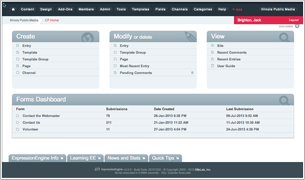
The website contains many unique pages that are maintained in the channel called WILL Pages. Each entry in WILL Pages is given a Pages URI, which is different from a normal EE entry url in that it can be anything. The entry is also assigned to a specific template via the Template dropdown list. For example our About page is a WILL Page entry given the Pages URI of “/about”, and assigned to the template “pages/about”.
WILL Pages are stand-alone web pages that are mostly static. They could be hand-coded but that would require any edits to be made by the Webmaster, so we're using the EE Pages Module to maintain them. There are a few very important pages with particular quirks.
Most WILL Pages are straightforward. But there are a few fairly complicated Pages that require special care when editing. We keep the WILL Pages section fairly locked down in terms of user access for this reason.
Several entries include markup that is stripped by ExpressionEngine when you reopen the entry for editing. This is actually the WYGWAM field (Description) trying to protect from malicious code being injected into the database. WYGWAM strips out key parts of the markup, messing up the entire page. The solution is to edit the markup in a standard text/html editor, then paste it into the WYGWAM Description field in Source view. WYGWAM doesn’t mess up the markup on save, just upon re-opening the entry for editing.
BTW, the WYGWAM field is an addon from Pixel & Tonic, which uses CK Editor. CK Editor has a huge library of files that allow for customization, and is very well documented on its own site. You can find the documentation specific to the WYGWAM addon for ExpressionEngine here.
Contribute to WILL
The most important WILL Page is the Contribute to WILL page. This has the url http://will.illinois.edu/support/pledgeform, and also the alias url http://willpledge.org. You'll find it in the WILL Pages section with the title of "Contribute to WILL". The Description field of this entry contains links to our pledge forms. These forms are hosted on another server: the Allegiance Web Module server. The forms themselves are created and maintained by Brenda Zimmerman in WILL's Development department.
Brenda creates new forms from time to time, and will then give the Web department links to the new forms. Edit the Contribute to WILL WILL Pages entry to update its links to the new forms. The for URLs are typically very long and hashy.
The "Contribute to WILL" WILL Pages entry contains Bootstrap and other markup that must be entered into the Description WYGWAM field as html. It also contains some custom classes that get stipped by WYGWAM upon opening the entry, which breaks the page design. The solution is to edit the markup outside of EE, then paste it into the entry's Description field in Source view. In other words, every update to the page must be done by pasting the raw html into the Description field in Source view mode.
Markup for Contribute to WILL page, last updated on 10/29/2018
Copy this code, edit as needed, and paste it into the WILL Pages entry "Contribute to WILL" in the Description field in Source view.
Note the Giveaway section, which is commented out except during Pledge drives. During pledge we need to display this section, then comment it out again after the drive.
Occasionally you'll need to update the links to the webmodule forms.
Corporate Support
This WILL Page contains complex markup including a Collapse section and html5
Repeating: Don’t try to edit this in EE. Paste the markup into WYGWAM in Source view and it’ll save just fine. But when you re-open the entry, WYGWAM mangles the markup.
Don’t even bother trying to edit this within the entry.
Markup for the Corporate Support WILL page, last updated on 8/29/2015
Copy this core, edit as needed, and paste it into the WILL Pages entry "Contribute to WILL" in the Description field in Source view.
WILL-TV Schedules
The TV Schedules page is generated by an entry in the WILL Pages channel entitled WILL-TV Schedule. This entry has an iframe in its Description field, which appears blank until you click on the Source view button in the toolbar.
Then you'll see a simple iframe which pulls in the schedules content from the Proweb application which runs on the Protrack server maintained by the WILL Traffic department. Proweb provides several embeddable widgets which are somewhat customizable thru the Proweb administrative interface.
The key documentation is the file WILL_proweb_4.0_manual.pdf which is in the WILL Website Documentation/Proweb folder on Box.
WILL Radio Schedules
The WILL Radio Schedule pages are generated by entries in the WILL Pages channel. Each of the entries has an iframe in its Description field, which appears blank until you click on the Source view button in the toolbar. Then you'll see a simple iframe which pulls in the schedules content.
The WILL FM 101.1 schedule is a simple html table inserted into the entry. This schedule almost never changes to it can remain static.
The WILL AM 580 and WILL FM 90.9 schedules are iframe widgets generated by an NPR DS product called Composer 2. They are not very tweakable or responsive but are an impovement over the previous NPR DS schedules product called Composer Pro.
The administrative interface for Composer 2 is here: http://composer.nprstations.org/login. The Administrator password is in the WILL IT password vault.
Note: The schedule modules from Composer 2 don’t work under https. If the WILL site is ever to run full https, this will have to be solved. (I have made it known to NPR DS that this is an issue.)